Thank you for your patience while we retrieve your images.
Taken 2-Mar-15
Visitors 77


72 of 157 photos
Thumbnails
Info
Categories & Keywords

Category:
Subcategory:
Subcategory Detail:
Keywords:uk, travel, mono, black and white, light, england, white, abstract, building, london, art, heritage, tourism, glass, beautiful, museum, architecture, stairs, spiral, photography, design, image, geometry, interior, patterns, awesome, greenwich, perspective, engineering, landmark, looking up, staircase, tulip, handrail, elegant, iconic, minimalist, queens house, curves, park, old, royal, maritime, Greenwich Maritime Museum, Thames, spiral staircase, Sony, pic, dslr, hdr, high dynamic range, photomatix, topaz, tonemapped, dslra700, tonemapping%d window
Photo Info

Dimensions5313 x 3530
Original file size8.54 MB
Image typeJPEG
Color spacesRGB
Date taken2-Mar-15 15:21
Shooting Conditions

Camera makeSONY
Camera modelDSLR-A700
Focal length12 mm
Focal length (35mm)18 mm
Max lens aperturef/4
Exposure1/60 at f/5.6
FlashNot fired, compulsory mode
Exposure bias0 EV
Exposure modeAuto bracket
Exposure prog.Aperture priority
ISO speedISO 500
Metering modeSpot
Digital zoom0x
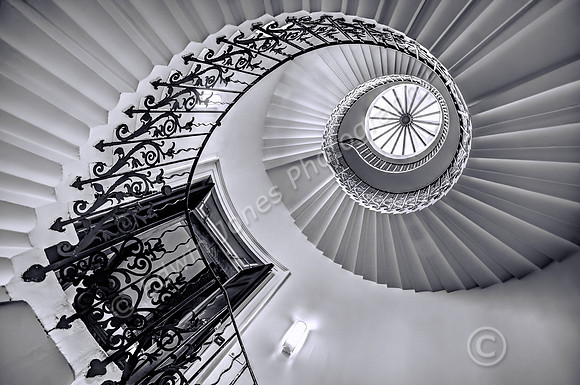
Tulip Stairs Spiral To The Eye

Tulip Stairs Spiral To The Eye

Another composition of the Tulip Stairs this time taken from higher up. The stairs are at the National Maritime Museum and Queens House, Greenwich. This is justly called the best spiral staircase in London. Built in 1610 it is one of the world’s earliest examples of a cantilever stair with no central core support.
The picture was taken handheld with a Sony A700 with a Sigma 10-20mm lens at 12 mm. 3 raw images 2EV spacing. Opened in Photoshop first and each image noise reduced with Noiseware Pro and saved as tiffs.

The picture was enhanced with HDR processing using fusion real estate. I also used Topaz DeNoise and Topaz Clarity. The mono conversion was done with Topaz BW Effects. Adjustment layers in Photoshop were used to bring up brightness.

Duplicate layer with mask to apply extra sharpening and contrast with low amount and high radius using Unsharp mask (Clarity Effect) The settings were 33 amount and 33 radius. A layer mask was used to exclude this effect from some highlights.