Thank you for your patience while we retrieve your images.
Taken 11-Nov-16
Visitors 46


125 of 157 photos
Thumbnails
Info
Categories & Keywords

Category:
Subcategory:
Subcategory Detail:
Keywords:uk, travel, city, Canary Wharf, West India Docks, South Dock, lights, city lights, skyscapers, windows, night lights, night, cityscape, light, england, reflections, water, blue, blue hour, boats, building, london, architecture, photography, perspective, engineering, landmark, elegant, iconic, Sony, wide angle, pic, dslr, topaz, tonemapped, dslra700
Photo Info

Dimensions5340 x 3560
Original file size14 MB
Image typeJPEG
Color spacesRGB
Date taken11-Nov-16 16:51
Shooting Conditions

Camera makeSONY
Camera modelDSLR-A700
Focal length20 mm
Focal length (35mm)30 mm
Max lens aperturef/2.1
Exposure3.2s at f/9
FlashNot fired, compulsory mode
Exposure bias0 EV
Exposure modeAuto bracket
Exposure prog.Aperture priority
ISO speedISO 200
Metering modePattern
Digital zoom0x
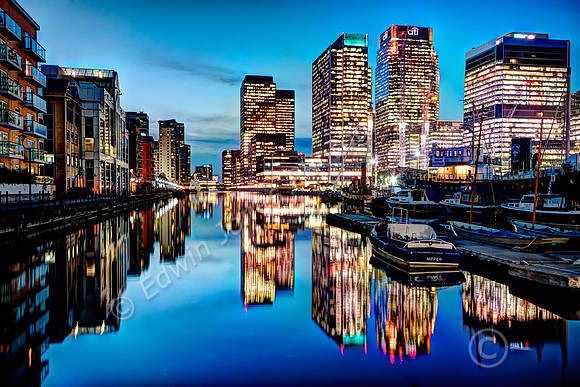
Canary Wharf South Dock Blue Hour

Canary Wharf South Dock Blue Hour

This is an image taken immediately south of the Canary Wharf financial district with its towers on the right of the picture. The picture was taken from the Thames Quay path at the far eastern end next to the new Dollar Bay Skyscaper. Canary Wharf is a major business district located in Tower Hamlets, East London. It is one of the United Kingdom's two main financial centres – along with the traditional City of London – and contains many of Europe's tallest buildings, including the second-tallest in the UK, One Canada Square. It is built on the site of the West India Docks and this viewpoint is from the southernmost of those former commercial docks.

It was an ideal day for a Blue Hour shot. It was taken about 30 minutes after sunset. The picture was taken with a tripod with a Sony A700 with a Sigma 10-20mm lens at 20 mm and 1/10 second. 3 raw images 2EV spacing processed with Photomatix Fusion Natural setting for a natural look. a little Noise was removed with Nik Define. I used a colour balance adjustment layer in Photoshop to selectively bring down the green cast in the light from the skyscapers using a layer mask. Tidy up with the heal and clone brushes including removing 2 clones from going into the sky and their reflections.